



What Is TVLIO?
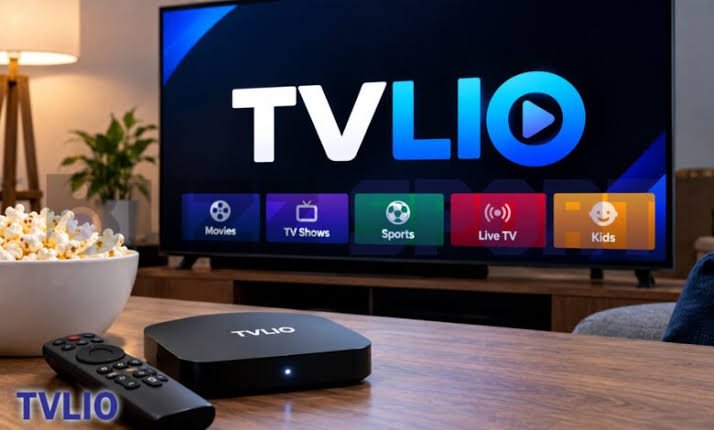
TVLIO is an online television and streaming brand associated with an IPTV subscription website. The service’s website, tvlio.org, promotes live TV channels, movies, series, sports, and access across devices such as smart TVs, phones, and desktop computers. It also lists paid plans. These are details presented by the provider, not independently verified guarantees about content availability or streaming quality.
IPTV stands for Internet Protocol Television. Instead of receiving television through a traditional cable line or satellite dish, viewers receive video over an internet connection. IPTV can be used by licensed broadcasters, subscription services, and media players, so the term alone does not tell you whether a particular service has permission to distribute the content it offers.
That distinction matters when evaluating TVLIO. Before paying, identify the exact website and business behind the offer, confirm which channels and titles are included in your region, and check whether the provider has the rights to distribute them. A professional-looking website or a large advertised catalogue is not proof of licensing, reliability, or security.
What Content and Features Does TVLIO Advertise?
TVLIO’s website advertises a package that combines live television with on-demand entertainment. Its listed categories include sports, movies, and television series. The site also promotes an electronic programme guide, catch-up viewing, and compatibility with several types of connected devices.
An electronic programme guide, often shortened to EPG, displays programme names and scheduled broadcast times. Catch-up TV may let a viewer watch selected programmes after their original broadcast, but availability depends on the service and the rights attached to each programme. These features can be useful when they work as described, yet they should be tested rather than assumed.
The site lists catalogue figures of more than 32,000 live TV channels, 90,000 movies, and 30,000 series. Treat these numbers as the provider’s own advertised figures. A channel count does not establish that every channel is active, that the catalogue is current, or that the service is licensed to offer every title. Ask for a clear channel list and test the specific content you care about before committing to a long plan.
How Does TVLIO Work?
According to the website, customers choose a subscription plan, receive account details and installation instructions, and then set up the service on a compatible device. The exact process may vary by device and by the app or player used. Check the instructions supplied through the official site before installing anything.
In general, IPTV playback needs a stable internet connection, a compatible app or device, and access to a source that is allowed to provide the stream. Video data travels over the network and is decoded by your device. If the connection slows, the stream may pause, reduce quality, or fail to load.
Do not assume that every app marketed as an IPTV player is the same thing as a content provider. Some players only display streams supplied by the user, while other businesses sell subscriptions that claim to include channels and programmes. Know which product you are buying, who provides the streams, and who handles billing and support.
For a safer setup, download software only from a trusted app store or a verified developer source. Avoid random APK download pages, unknown browser extensions, or installers that ask you to disable your device’s security settings.
Which Devices Can You Use With TVLIO?
TVLIO advertises support for smart TVs, Android devices, iOS devices, and desktop systems. The exact compatibility of a particular model or operating-system version should be confirmed before you subscribe. A service can advertise broad device support without offering a dedicated app for every television brand or every version of an operating system.
Before paying, ask these questions: Is there an official app for your exact device? If you need to use a separate IPTV player, which one is supported? Does the subscription limit the number of simultaneous streams? Can you use the same account while travelling, and are there regional restrictions?
If installation requires a third-party player, check that the player itself is reputable and available through a trusted source. Never share account passwords, device identifiers, or payment details with an unofficial installer unless you understand why the information is needed and trust the party receiving it.
It is also worth checking whether the service works on the device you use most often. A short test on your main television or phone is more useful than relying on a broad compatibility statement.
How Much Does TVLIO Cost?
The TVLIO website lists several subscription periods. At the time of review, the page displayed prices of £15 for one month, £25 for three months, £38 for six months, and €55 for twelve months. Because the listed annual price uses a different currency from the shorter plans, confirm the currency and final checkout total for your location before paying. Prices and offers can change.
A longer subscription may appear cheaper per month, but it also puts more money at risk if the service stops working, changes its catalogue, or proves difficult to contact. If you decide to test TVLIO, a shorter plan limits the initial commitment. Avoid paying for a full year just to get a lower monthly rate before you have checked performance, support, and licensing.
Review the checkout page carefully. Look for taxes, currency conversion, renewal terms, accepted payment methods, refund conditions, and any extra activation charge. Save a copy of the order confirmation and the terms that applied when you bought the plan.
For general subscription-safety advice, the U.S. Federal Trade Commission’s guide to free trials and auto-renewals explains why it is important to understand cancellation deadlines and recurring charges before entering payment information.
Is TVLIO Legal and Safe to Use?
The name of a service or the fact that it uses IPTV does not determine whether it is legal. The key question is whether the operator has the necessary rights to distribute the channels, films, and series it offers in your country. TVLIO’s public marketing page lists a large range of content, but the page alone does not independently establish licensing for every item. Ask the provider for clear information about content rights and the business responsible for the service.
Safety is a separate issue. An app or website can expose users to risks if it collects excessive personal data, distributes unsafe software, or requests payment through unclear channels. The FTC has warned that apps and add-ons used to stream pirated content can carry malware risks. Its consumer guidance on illegal streaming apps explains why unofficial streaming software deserves caution.
Use these checks before you install or pay:
– Confirm the exact domain and look for clear company contact details and terms.
– Read the privacy policy to understand what account and device information is collected.
– Check cancellation and refund rules before checkout.
– Avoid sending passwords or payment details through informal messages.
– Do not install software that asks you to switch off security protections.
– Use a unique password and keep your device’s operating system updated.
No single check can guarantee that a service is safe. If the provider cannot explain its licensing, identity, payment terms, and support process clearly, do not hand over money or sensitive information.
Does TVLIO Offer Reliable Streaming Quality?
Streaming quality depends on more than the speed of your internet connection. It also depends on the provider’s servers, the route your connection takes, the device you use, the stream’s resolution, and how many people are watching at the same time. Even a fast home connection cannot fix a stream that is offline or overloaded at the provider’s end.
TVLIO promotes smooth playback and high-resolution content on its website. Those descriptions should be treated as marketing statements until you have tested the service under normal conditions. A promise of HD, 4K, or 8K does not mean every channel or programme is available at that resolution, and actual quality can vary from one stream to another.
If you are testing a service, try it at the times you normally watch television, including evenings or during major live events. Check whether channels open promptly, audio stays in sync, the picture remains stable, and the programme guide matches what is playing. Test more than one channel and more than one device if you plan to use several.
If playback buffers, first restart the app and router, check whether other devices are using most of the bandwidth, and test another legitimate streaming service. If only one TVLIO stream fails while other services work normally, the issue may be with that stream or provider rather than your home network.
What Are the Main Advantages and Limitations?
The main potential advantage of a service like TVLIO is convenience. A single interface that brings live channels and on-demand titles together can be easier to use than switching among separate apps. An electronic programme guide and catch-up features can also help viewers find a programme without searching manually.
A large advertised catalogue may appeal to households with varied interests, particularly if they watch international channels or live sports. Device flexibility can be useful when the same household watches on a television, phone, or computer. These benefits depend on the service delivering the promised content and supporting the devices you actually own.
There are also important limitations to consider. Advertised channel and title counts may not reflect active, licensed, or consistently available content. Streaming quality can change, and a low upfront price does not guarantee dependable customer support. If a service lacks clear company details or transparent rights information, users may have little recourse when content disappears or access stops.
Another practical concern is account security. A service that requires you to install an unofficial app or share credentials with an unknown third party can create risks beyond the cost of the subscription. Compare the convenience with the evidence you can verify, not just with the size of the catalogue.
How Can You Evaluate TVLIO Before Subscribing?
Use a short checklist before you decide. First, verify that you are visiting the intended TVLIO website and not a lookalike page. Search for the company name alongside terms such as complaints, cancellation, refunds, and support. Reviews can be helpful, but look for detailed experiences across different sites rather than relying on testimonials published by the provider alone.
Second, confirm the content. Ask whether the channels and programmes you want are available in your country and whether the operator is authorized to distribute them. A written answer is more useful than a vague promise that the service includes everything.
Third, check the practical details: supported devices, simultaneous streams, payment currency, renewal rules, refund conditions, and the method for contacting customer support. Make sure you know how to cancel before entering payment information. If the terms are missing or difficult to understand, that is a good reason to wait.
Finally, keep the first payment small if you choose to proceed. Test the service on your usual device, save receipts and support messages, and monitor your payment statement. Do not share more personal information than is necessary. If the service fails to match its description, use the documented cancellation process and contact your payment provider promptly if you see an unauthorized charge.
What Alternatives Should You Consider?
If your main goal is reliable access to live television, compare TVLIO with licensed streaming services, broadcaster apps, and cable or satellite providers available in your region. These options may offer smaller catalogues or separate subscriptions, but they can make content rights, billing, customer support, and app availability easier to verify.
For movies and series, official subscription platforms and free ad-supported services may be enough, depending on what you watch. For live sports, check the rights holder or league’s official viewing page for your country. Sports rights are often split by territory, so a service that works in one country may not have permission to show the same event elsewhere.
Compare the total monthly cost rather than the headline price. Include any required apps, devices, add-ons, or separate subscriptions. Consider whether you need live channels, on-demand viewing, recordings, or only a few specific programmes. Choosing a service that clearly explains its rights and support arrangements is usually a better long-term decision than choosing solely by catalogue size.
Conclusion
TVLIO is promoted as an IPTV subscription offering live television, movies, series, sports, and access across multiple device types. Its website also advertises large content libraries and several subscription periods, but those details should be verified before you pay. Check licensing, device compatibility, payment terms, cancellation rules, and real-world performance first. If important business or content-rights information remains unclear, choose a provider that offers transparent terms and verifiable authorization instead.
Frequently asked questions
What is TVLIO used for?
TVLIO is marketed as an IPTV service for watching live TV channels, movies, series, and sports over an internet connection. Its advertised catalogue and features should be verified before subscribing.
How much does TVLIO cost?
The website reviewed listed £15 for one month, £25 for three months, £38 for six months, and €55 for twelve months. Prices, currencies, and offers may change, so confirm the checkout total before paying.
Can I use TVLIO on a smart TV?
TVLIO advertises support for smart TVs and several other device types. Confirm that your exact TV model is supported and check whether you need an official app or a separate player.
Is TVLIO legal?
That depends on whether the operator has permission to distribute the channels and programmes it offers in your location. The public marketing page alone does not verify licensing for every title, so ask for clear proof before subscribing.
Is TVLIO safe to install?
Safety cannot be guaranteed from a website description. Use verified download sources, read the privacy and payment terms, avoid unofficial installers, and do not disable your device’s security protections.
Related Articles
Techidemics Tech: Complete Guide to the Technology Platform
Future Tech Solutions WTGTechGeek: A Complete Guide to Modern Innovation and Emerging Technologies
How ANRVSNA Transforms Standardgross Technology?
Input Technology Solutions: Complete Guide to Services, Technology Expertise, and Digital Innovation